Flow wires
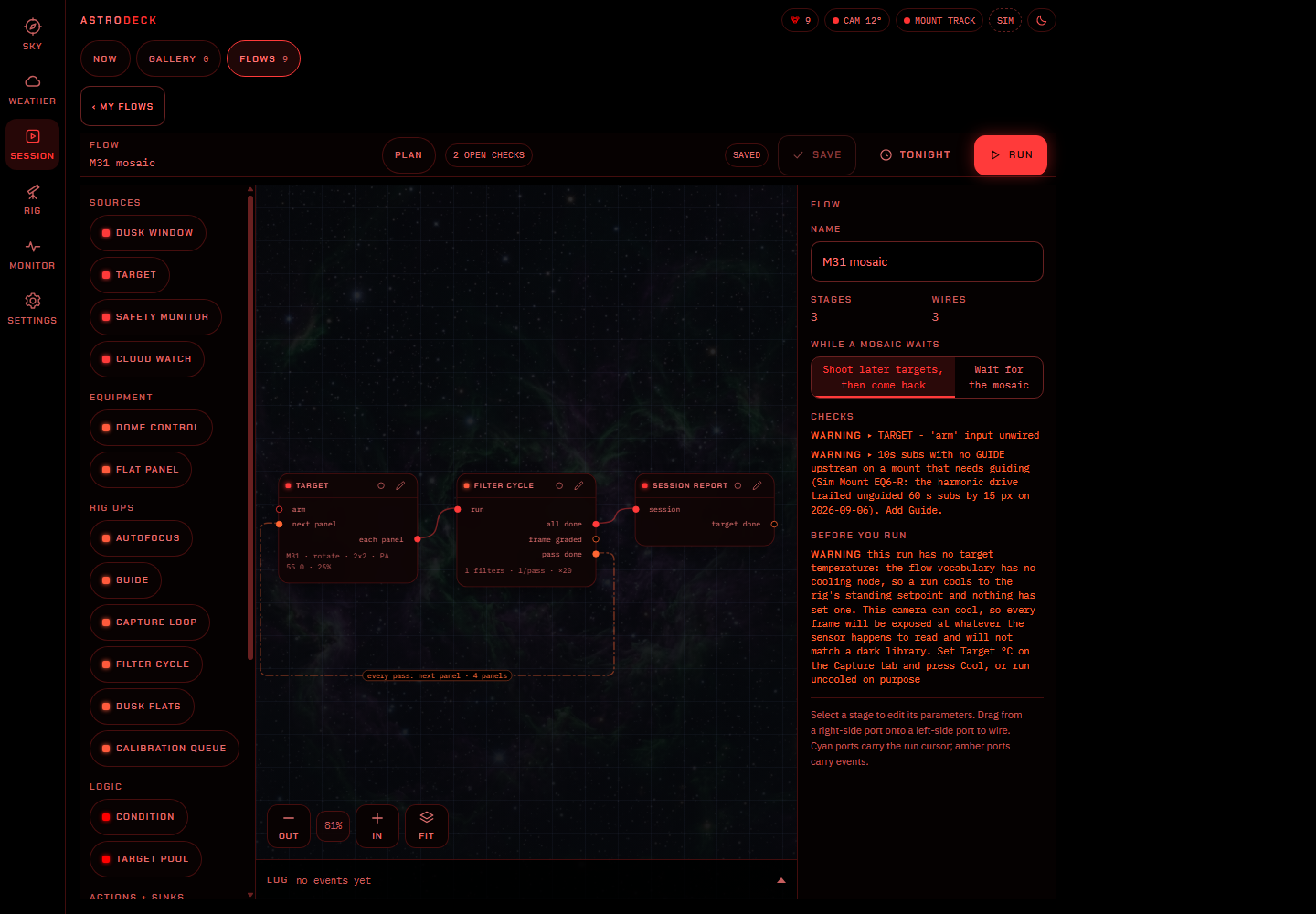
Solid wires set the order of work, such as a target followed by autofocus, guiding and capture.
Astro Flows
Start with a target and connect the work around it. Flows keeps the sequence visible, from the first focus run to the end-of-night park.
01 / The canvas
Frame the target on survey imagery, set the panel grid and choose how to visit the panels. Capture and filter-cycle steps can work through each panel or rotate through the mosaic in passes.
02 / Connections
FILTER CYCLE interleaves exposures across filters so each channel receives time during the night.
Solid wires set the order of work, such as a target followed by autofocus, guiding and capture.
Dashed wires carry events to actions. A frame-quality condition can request refocus; a cloud event can put the sequence on hold.
03 / Plan checks
The plan checker reports missing connections, conflicts between safety and cloud rules, and settings the engine cannot use. Review those messages alongside the equipment and provider requirements.
04 / Weather rules
A cloud hold can wait for clear frames, then restore cooling and the imaging setup before continuing. Set a maximum wait and the action to take when it expires.
A safety monitor can abort the sequence and request a park. Roof and cover actions depend on your configuration and connected equipment.
05 / Across nights
New target blocks count accepted frames. A session retains progress across nights, and repeat schedules can return at dusk. Target pools choose among the targets that remain available.
06 / Examples
The example library includes single-target imaging, filter cycles, campaigns and a mosaic. Open one to see its structure, then make a copy for your own rig.